See it working
A week on site. Monday’s gate to Friday’s claim.
Follow Ashgrove Builders through a week on a block of apartments. The firm, its people and its numbers are made up. Every screen is the real app.
Monday
Who's on site, and are they cleared to be?
Monday · 7:45
Sign in at the gate
A plasterer from Seán's Plastering scans the QR code on the gate with his phone camera. No app. He picks who he works for and his Safe Pass is checked against Seán's Subbie Passport. An expired card would be refused.
Site Gate: how it works →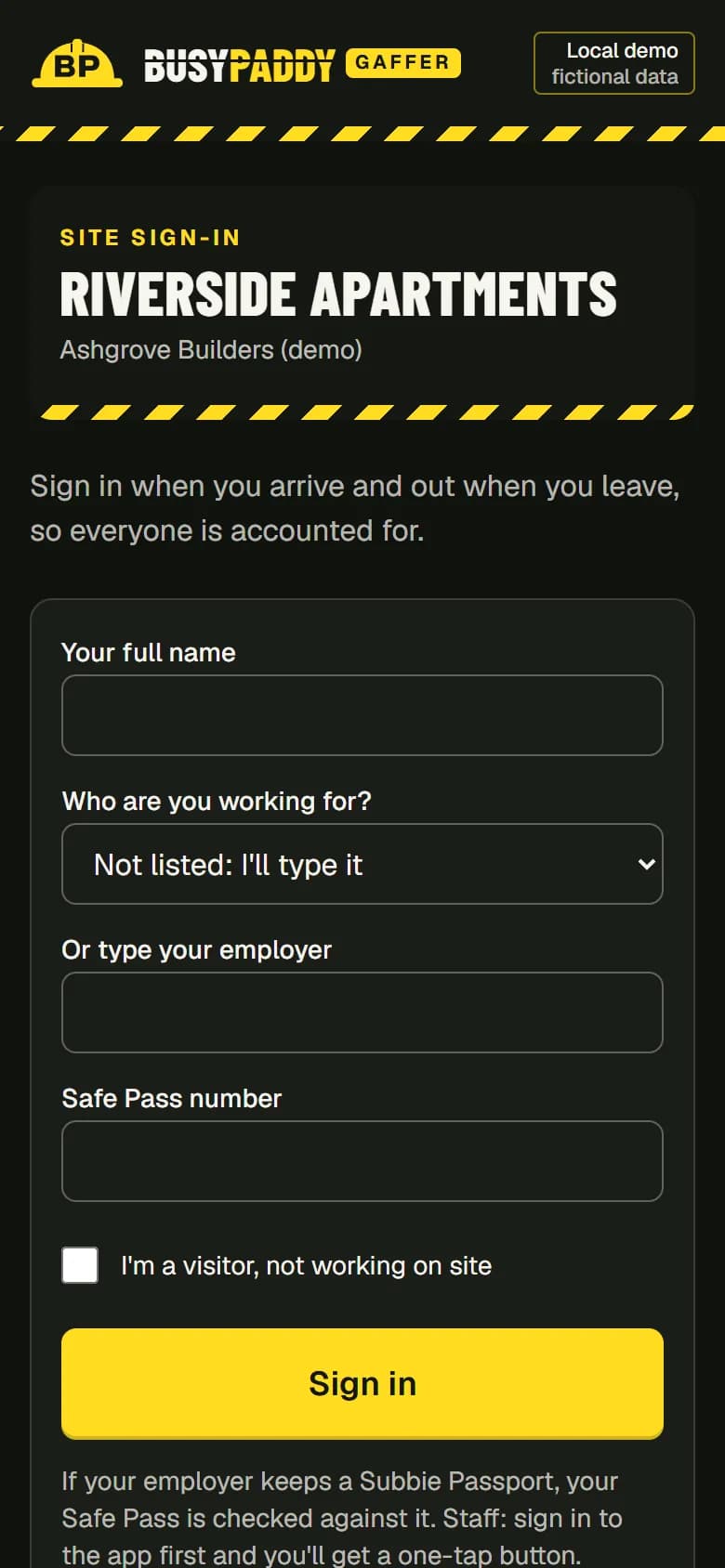
Monday · 8:10
Read and sign the RAMS
Dara's on the electrical fit-out. The issued RAMS for the job is waiting on his phone: the steps, the hazards and the controls. He ticks that he's read it and types his name.
RAMS & site induction: how it works →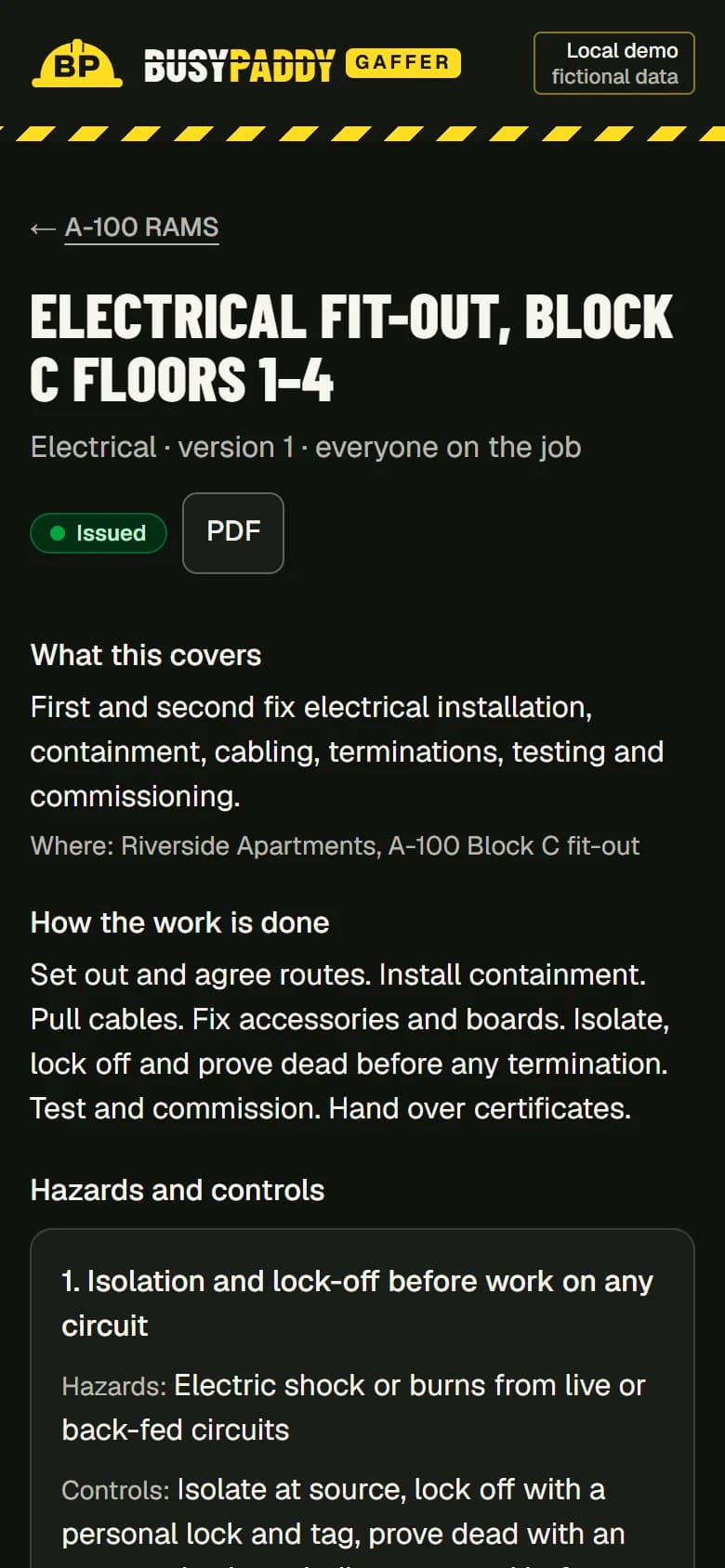
Tuesday
Deliveries and kit, checked on the spot.
Tuesday · 10:30
Plasterboard comes short
The delivery is four sheets short and two damaged. Dara logs it against the order with a photo of the docket. A credit claim opens by itself, priced from the order, and the office chases the supplier from it.
Materials: how it works →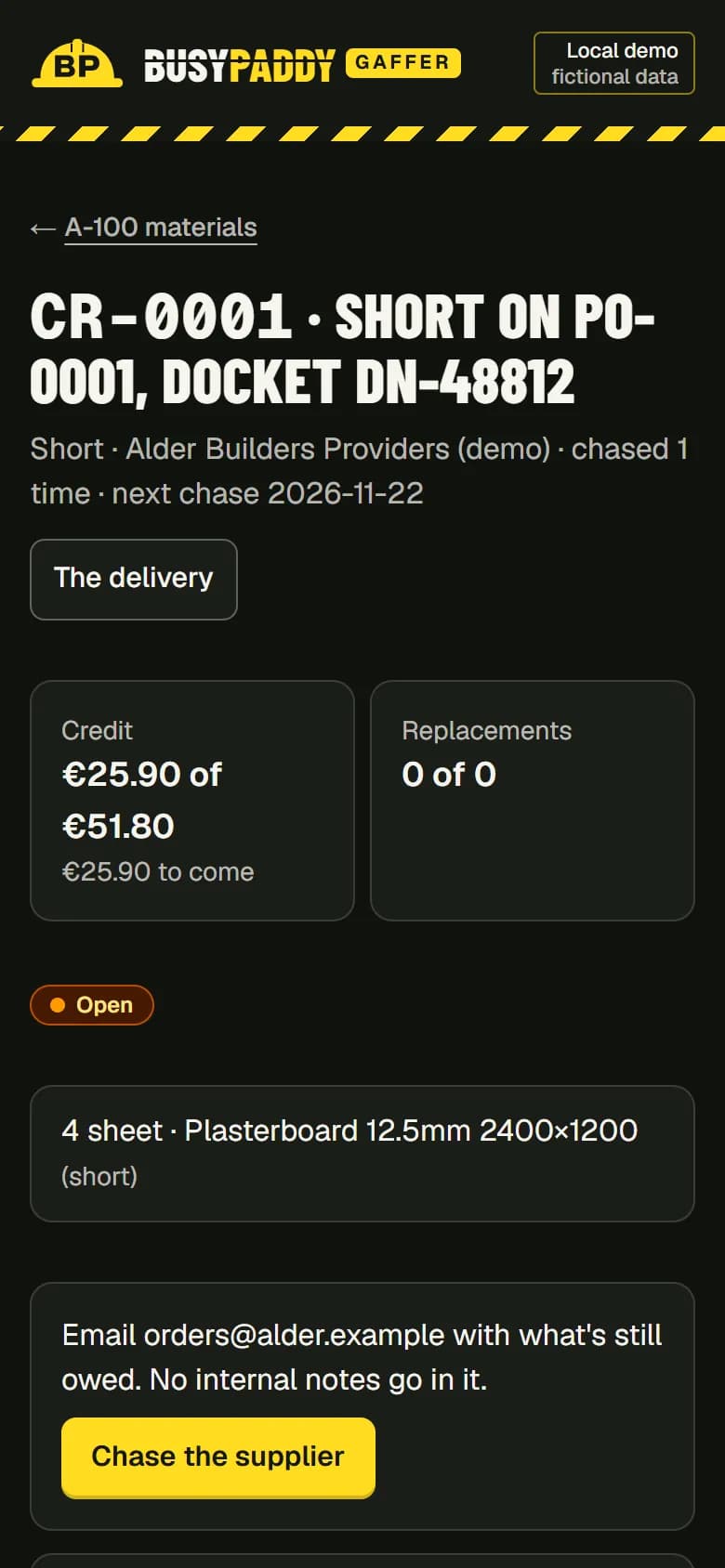
Tuesday · 14:00
The harness stays in the box
Someone scans the harness's QR label to take it out. Its inspection is overdue, so it can't go out until it's checked.
Plant & tools: how it works →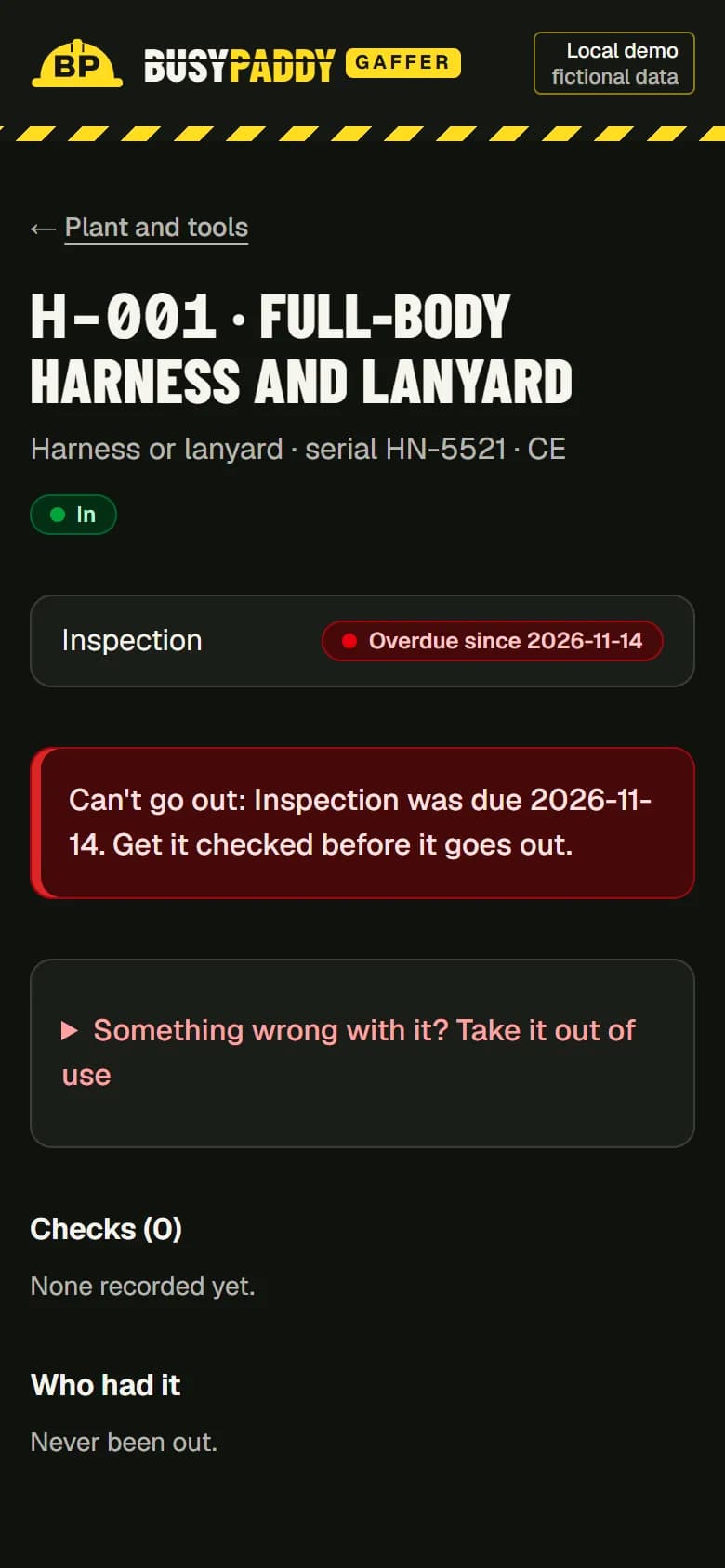
Wednesday
Papers and extras, before they turn into rows.
Wednesday · 9:00
Check the subbies
In the office, Aoife sees one subbie amber (tax clearance runs out soon), one red (insurance cover too low) and one who hasn't said yes yet. Nobody's chasing PDFs by email.
Subbie Passport: how it works →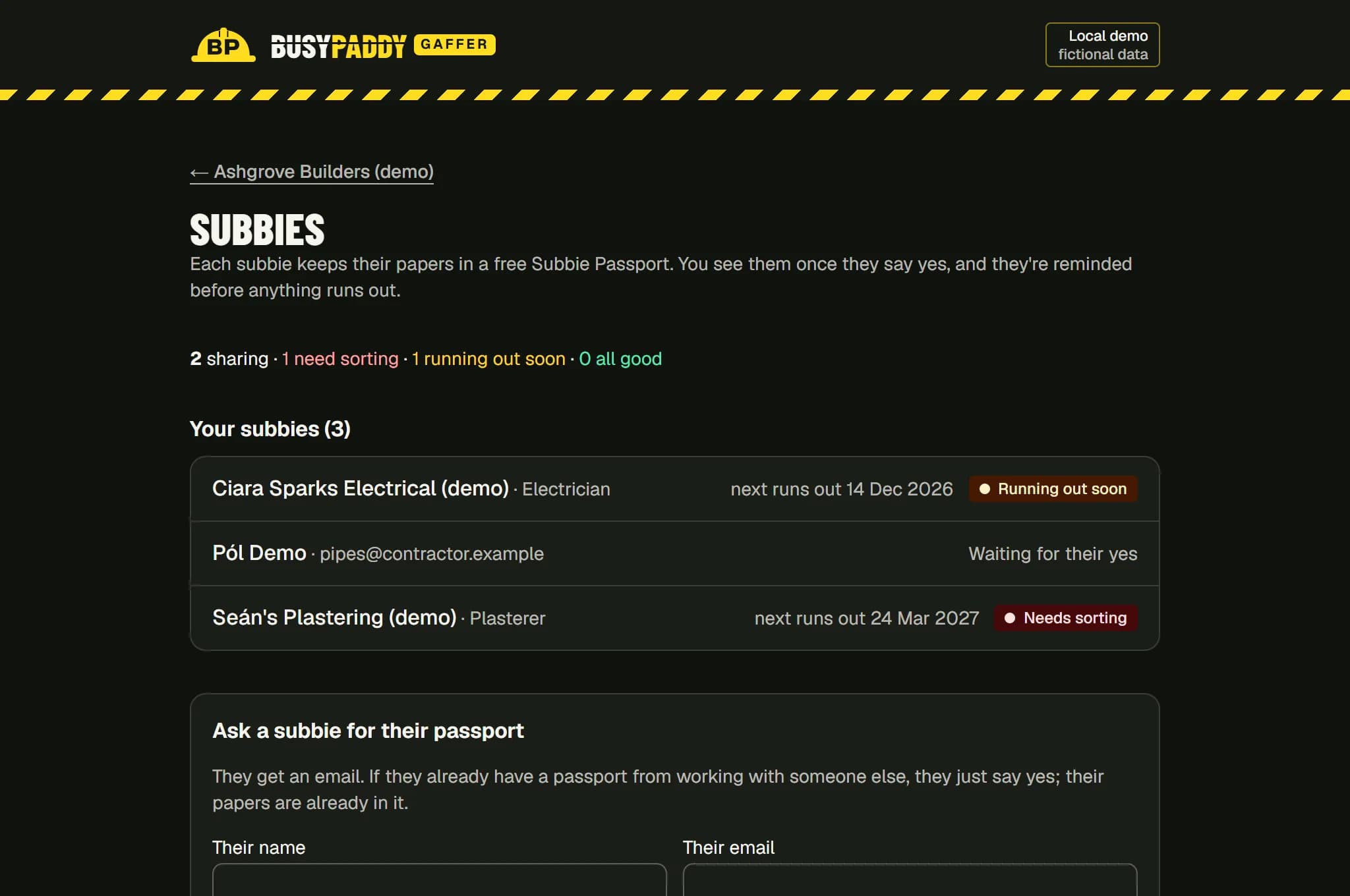
Wednesday · 12:15
The client wants the DB moved
The client asks for the kitchen distribution board in apartment 2.04 to be moved. Aoife prices it at €850 plus VAT and sends a link. The client approves on their phone by typing their name, and the exact wording is kept.
Get Paid: how it works →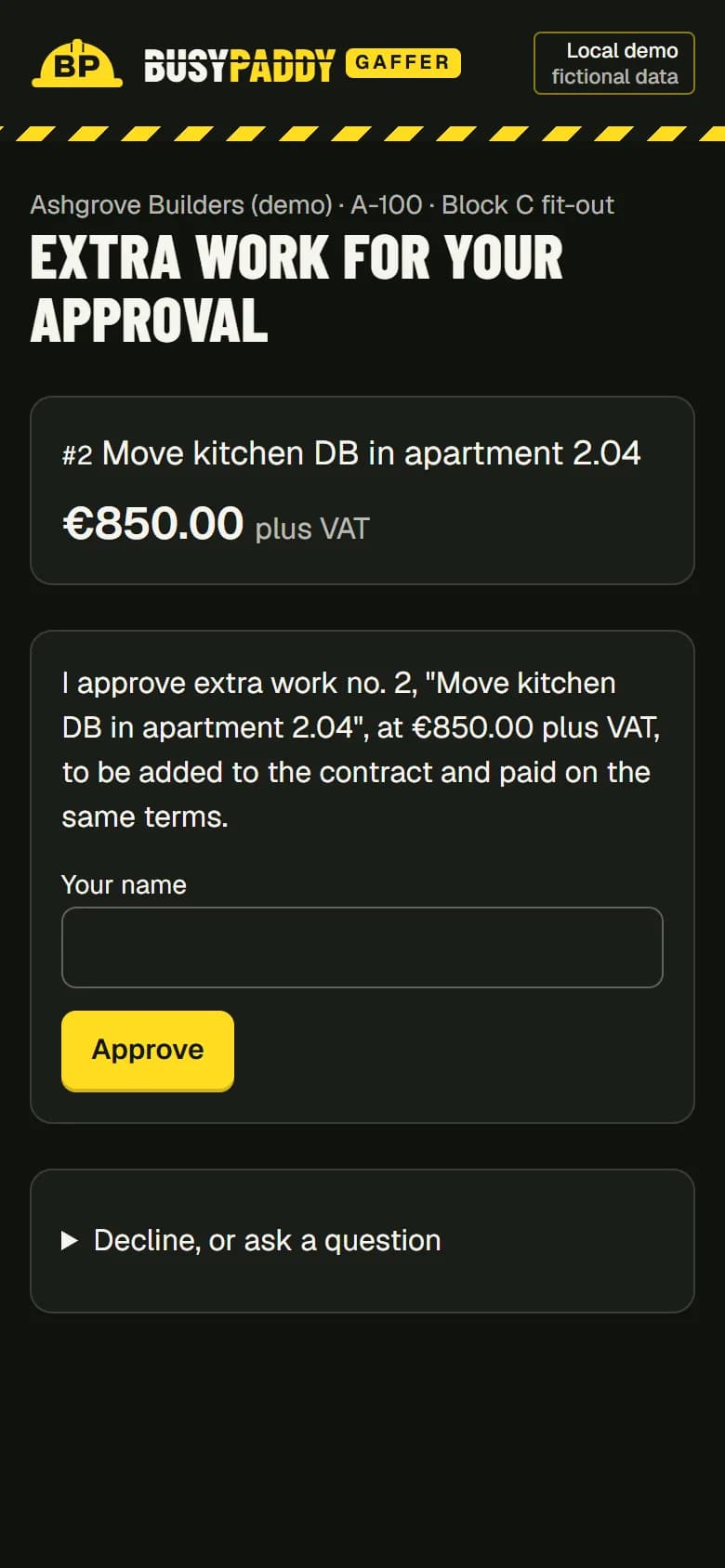
Thursday
Snags, certs and receipts.
Thursday · 11:00
Snag walk
Snags are logged by room and given to the right trade. Each trade only sees their own, and a repair can't be closed without a photo.
Snags & handover: how it works →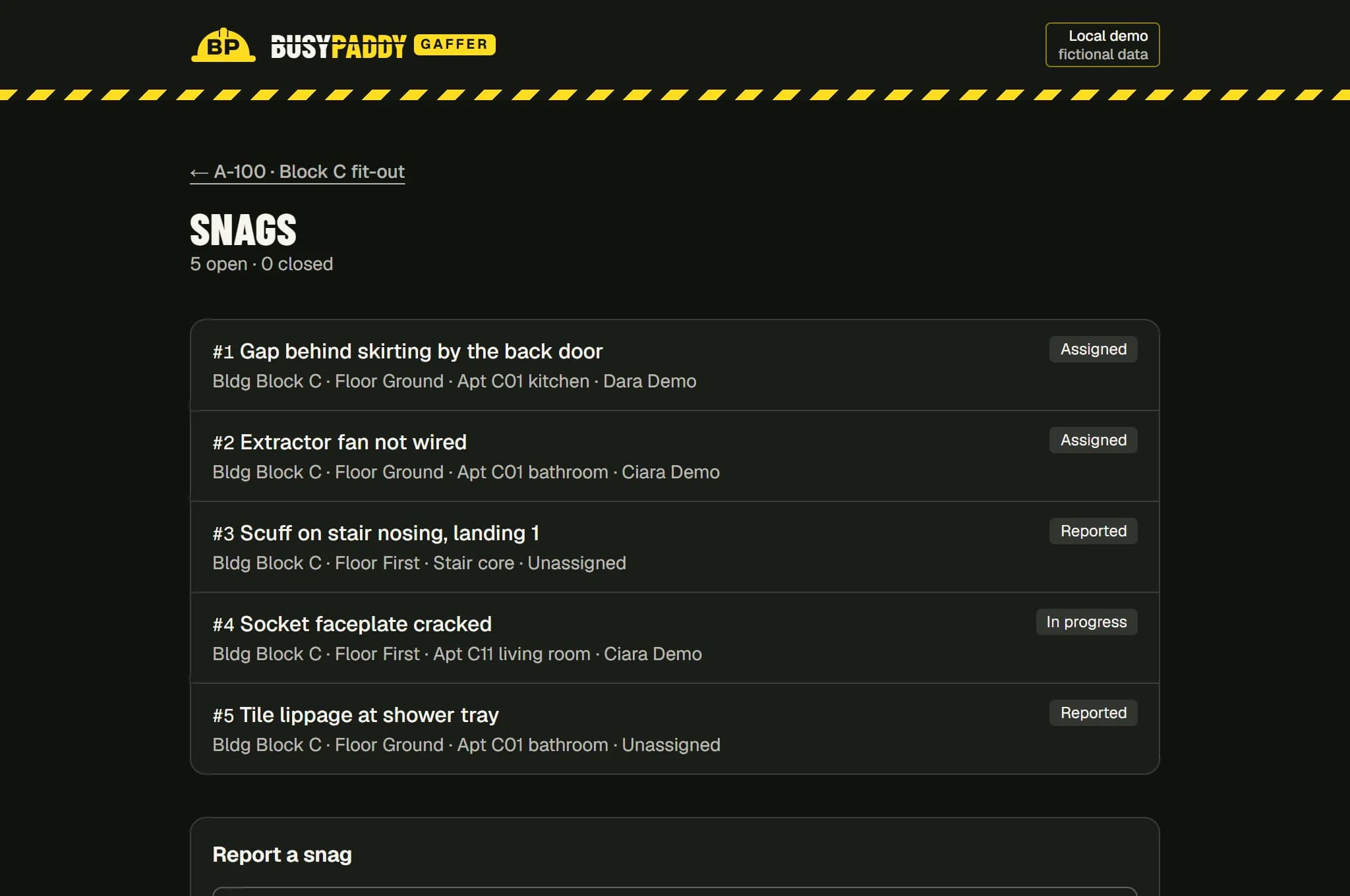
Thursday · 15:30
The electrical cert comes in
Ciara uploads her completion certificate through the link she was sent. It's waiting in the Completion Pack for the office to check and accept.
Completion Pack: how it works →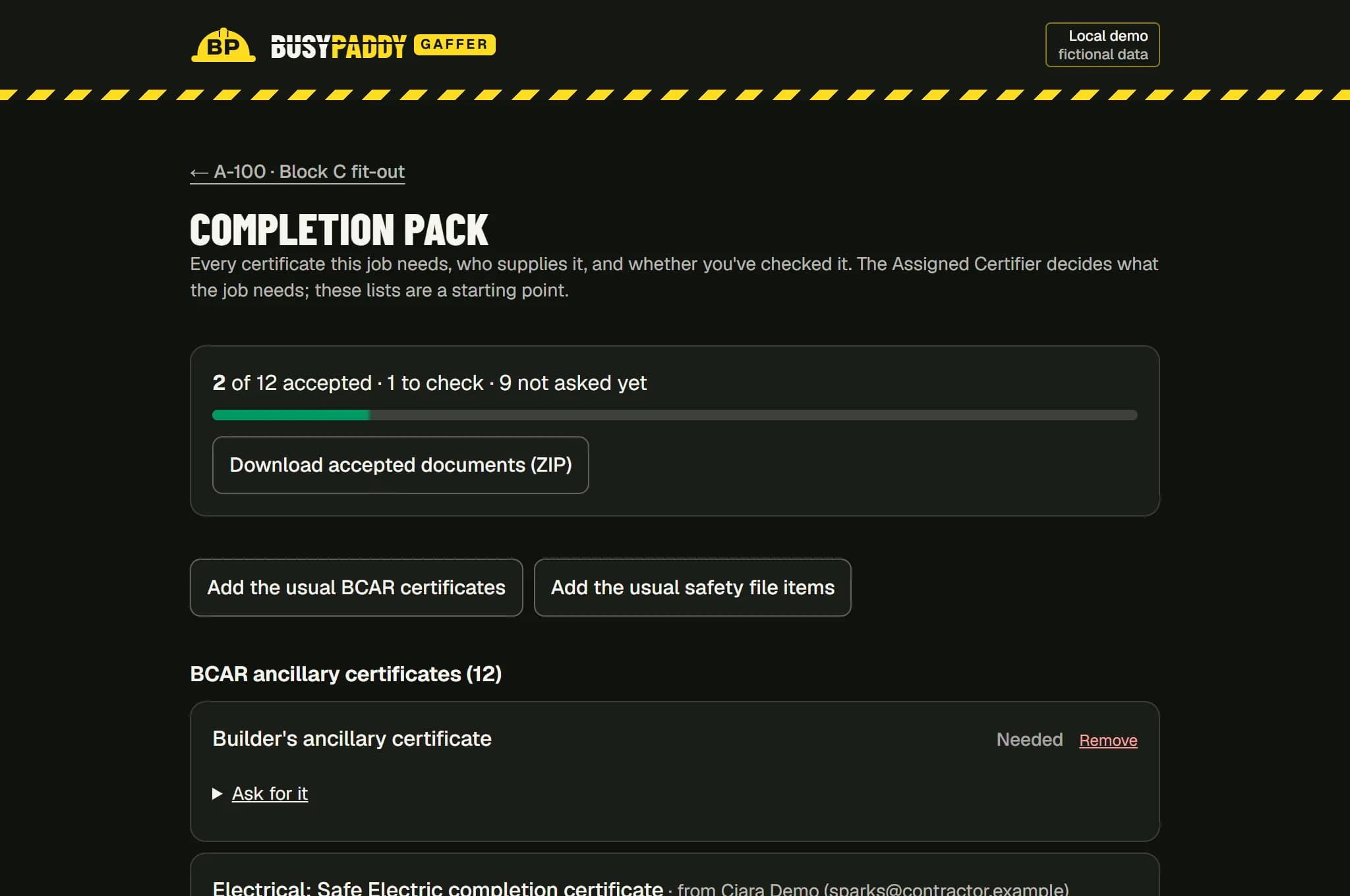
Thursday · 17:00
Receipts approved
Dara photographed a receipt for fixings. The office approves it, and it's ready for the accountant's month.
Expenses: how it works →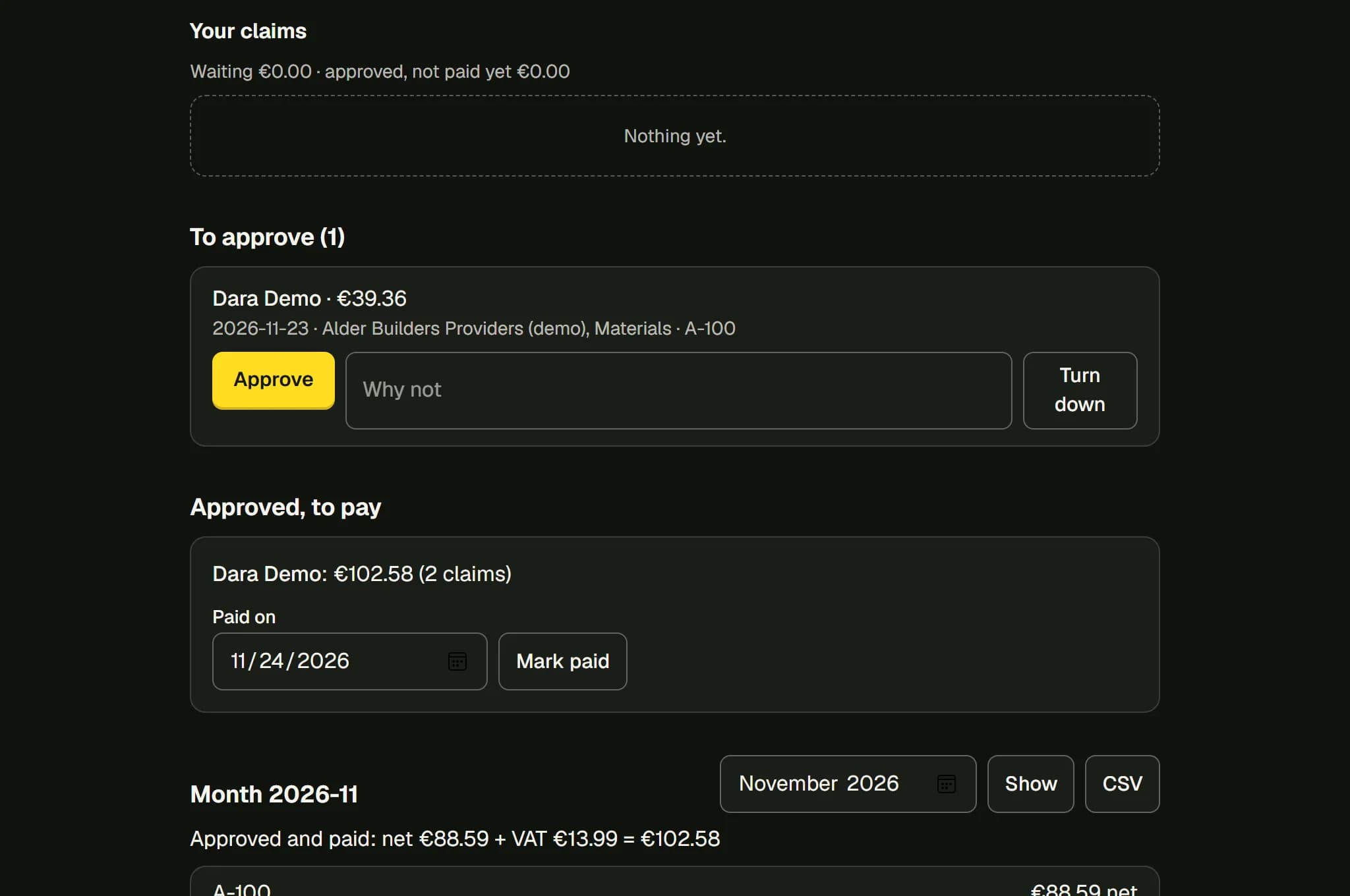
Friday
Hours, tax and getting paid.
Friday · 12:00
The week's timesheet
Hours come straight from the gate, day by day: each person's pay and CWPS days, and the hours Seán's Plastering had on site. A forgotten sign-out is flagged to fix. Download it for payroll.
Site Gate: how it works →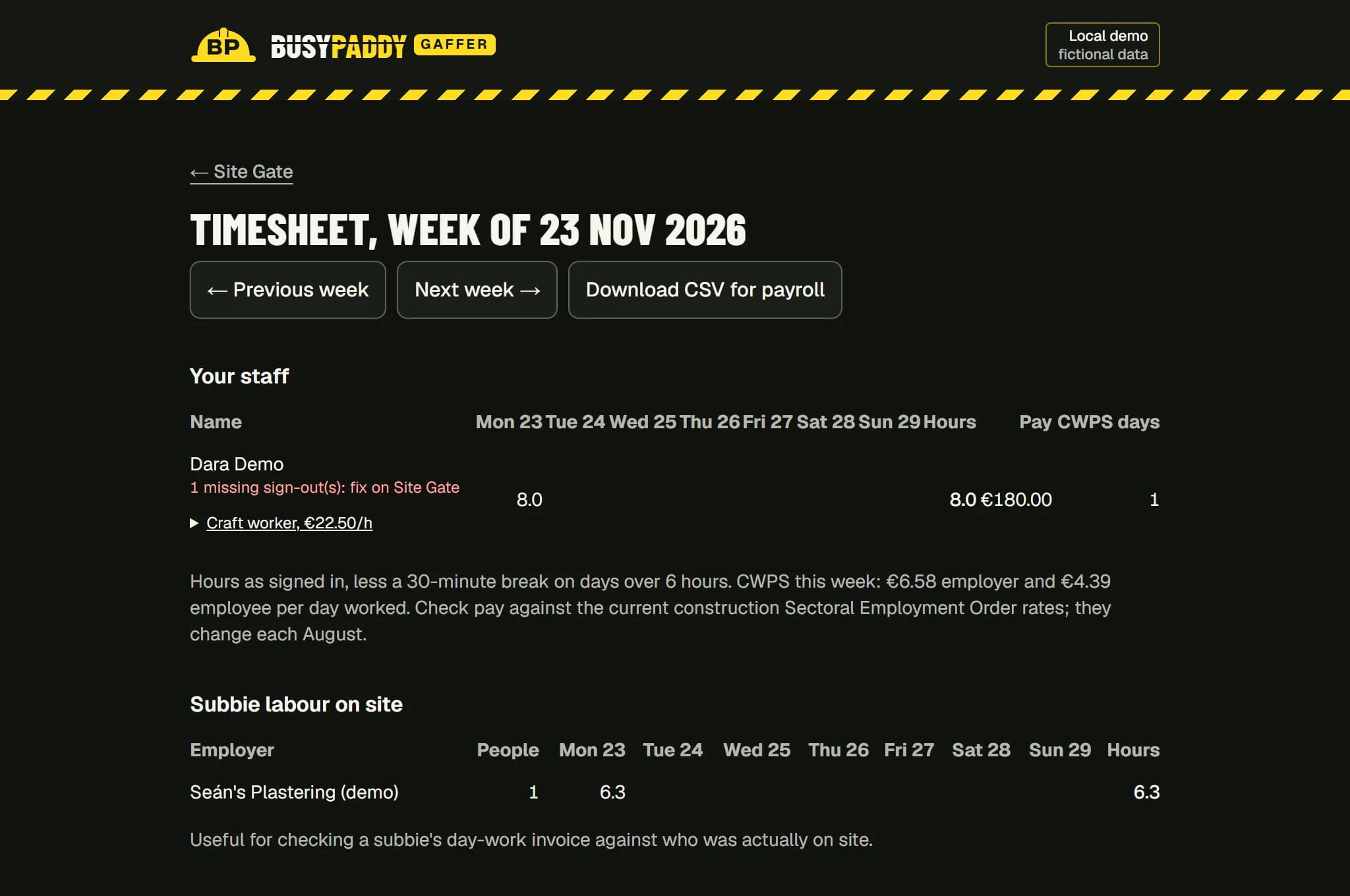
Friday · 14:00
Pay the subbies, RCT right
Each payment has Revenue's deduction authorisation. Gaffer works out what to hold back and the reverse-charge VAT, and flags an invoice that charged VAT when it shouldn't have.
RCT & reverse-charge VAT: how it works →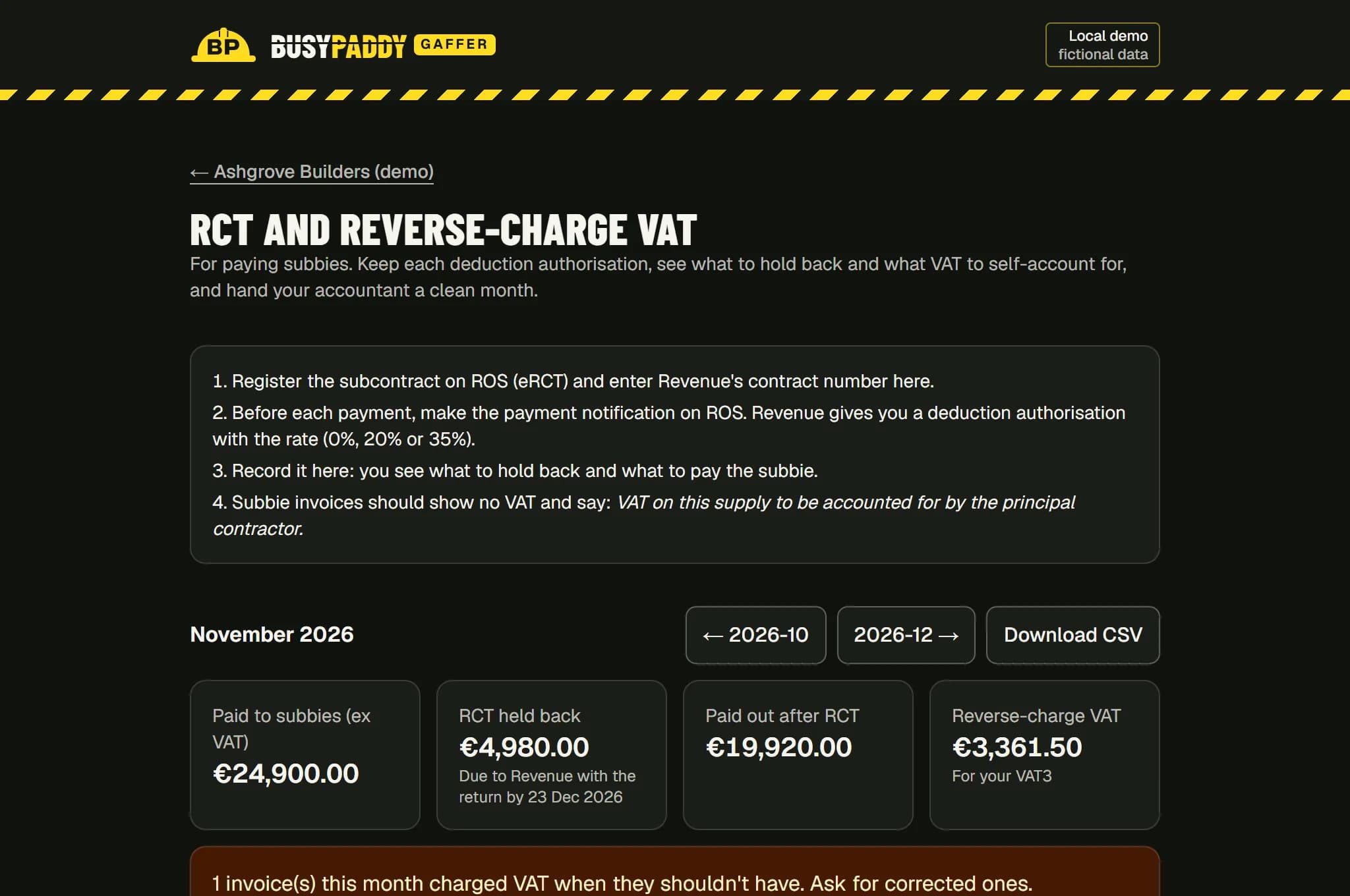
Friday · 16:00
Chase the claim
Payment claim no. 2 is overdue. The figures are frozen as sent, with the Construction Contracts Act notice on the PDF. Aoife sends the firmer reminder, and the next claim will pick up the approved extra.
Get Paid: how it works →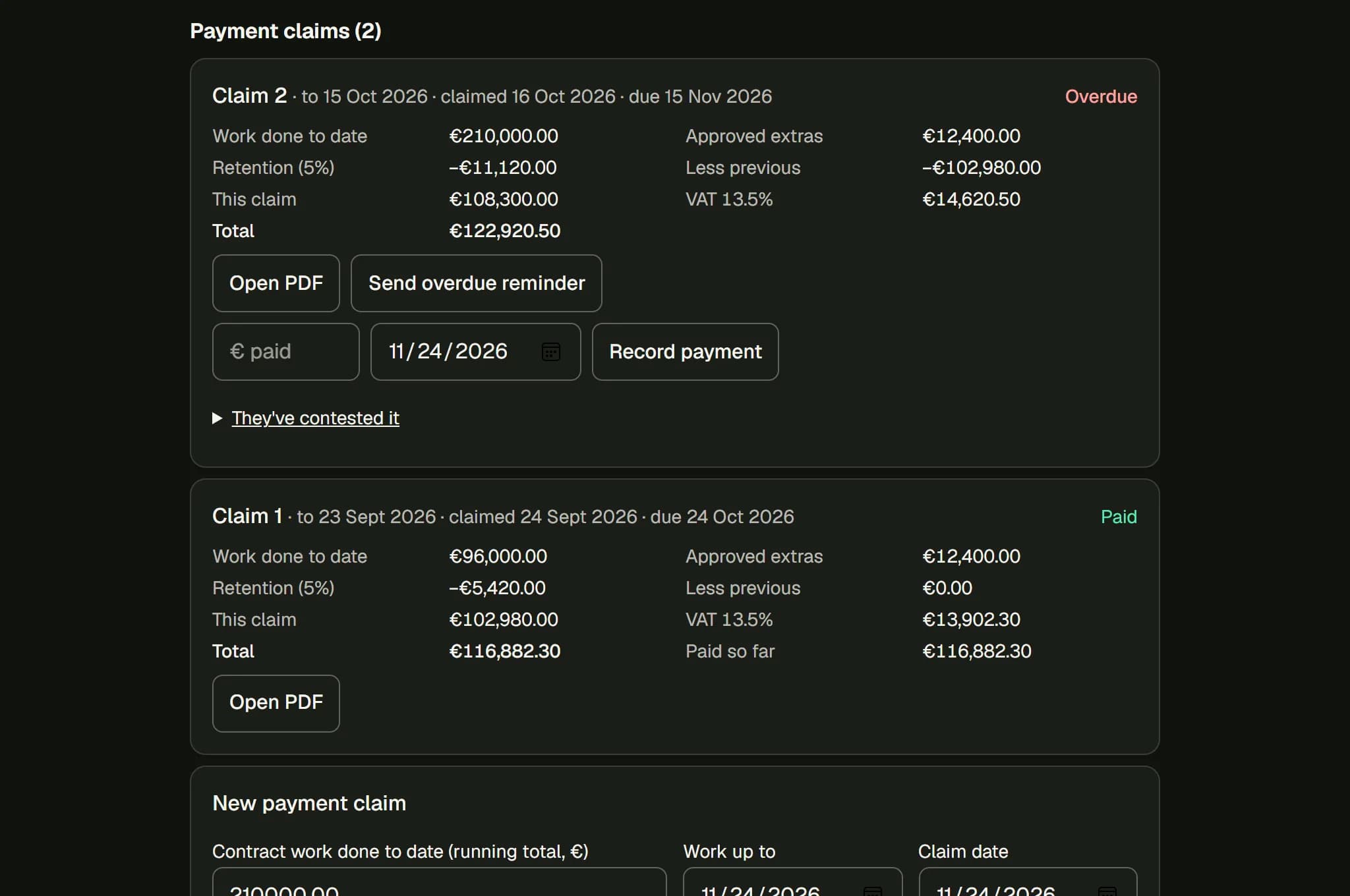
That was one week
Nothing typed twice. Nothing on the back of a docket.
The same jobs, people and subbies run through every tool. Switch on the ones you need. Try every one free for 14 days, with no card.
Run your own week on it.
14 days free, no card needed. Or we'll walk you through it with your own subbie list.